
Project Secrets
Building something that talks to a real API? You will need an API key — and pasting it straight into your code is a bad idea: projects are shareable, forkable, and visible to anyone with the link.
Secrets solve this. A secret is a name + value pair (for example OPENAI_API_KEY = sk-…) that DojoCode stores encrypted and injects into your project's runtime as an environment variable. Your code reads the name; the value never appears in your files, in the editor, or to anyone else.
Write-only by design
Once saved, a secret's value can never be viewed again — not by you, not by other users, not by the AI assistant. You can only replace or delete it. If you forget a value, set a new one.
How secrets work
- Two scopes. Account secrets (global) are yours everywhere — every project you open can use them. Project secrets are declared on a single project.
- Project overrides global. If a project secret and an account secret share the same name, the project value wins inside that project.
- Everyone brings their own values. When another user opens your project, they provide their own values for the secrets your project needs. Your values are never shared — secrets are private per user, per project.
- Encrypted at rest, injected at runtime. Values are AES-encrypted in the database and only decrypted when your code actually runs — in the browser preview or in the Run sandbox.
Account secrets (Settings)
Manage your global secrets from Account Settings → Secrets — the last tab on your settings page.
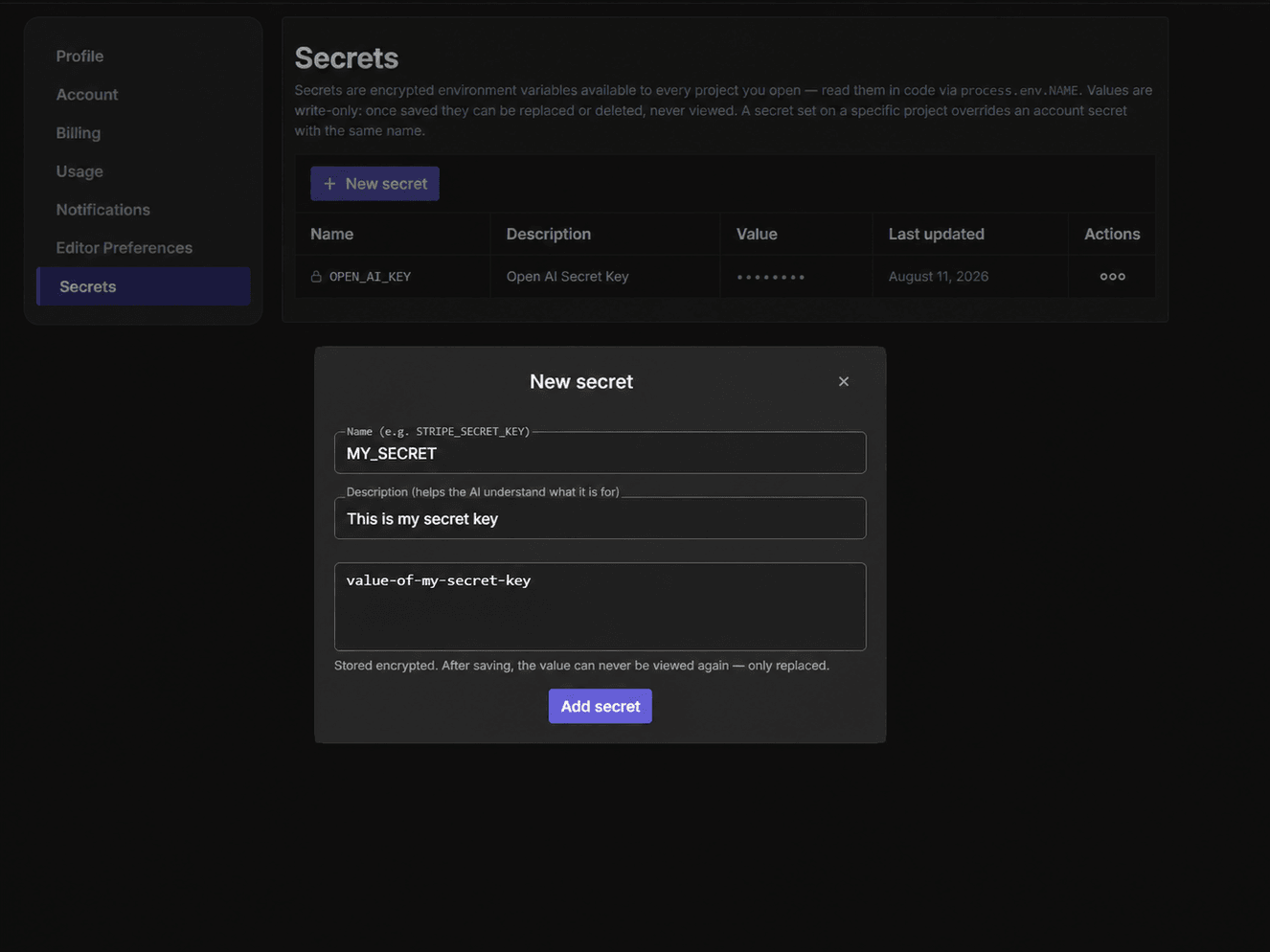
Each secret has:
| Field | Purpose |
|---|---|
| Name | The environment variable your code reads, e.g. OPENAI_API_KEY. |
| Description (optional) | What the secret is for. Also shown to the AI assistant so it knows the secret exists — the value never is. |
| Value | Write-only. Displayed as •••••••• forever after. |
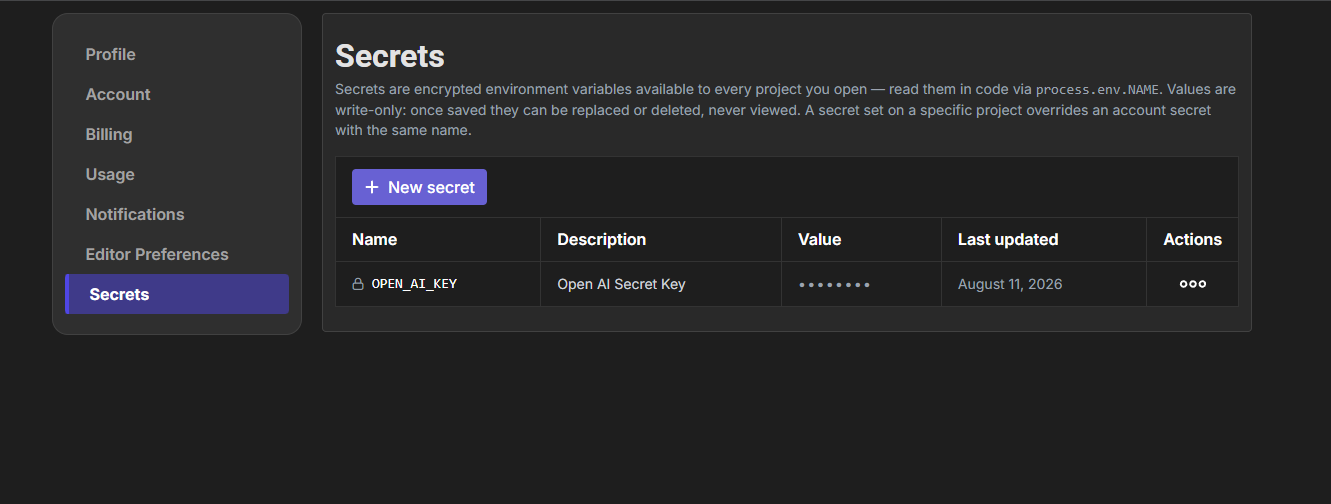
Click New secret, give it a name, an optional description and the value — that's it:
Project secrets (the Secrets tab)
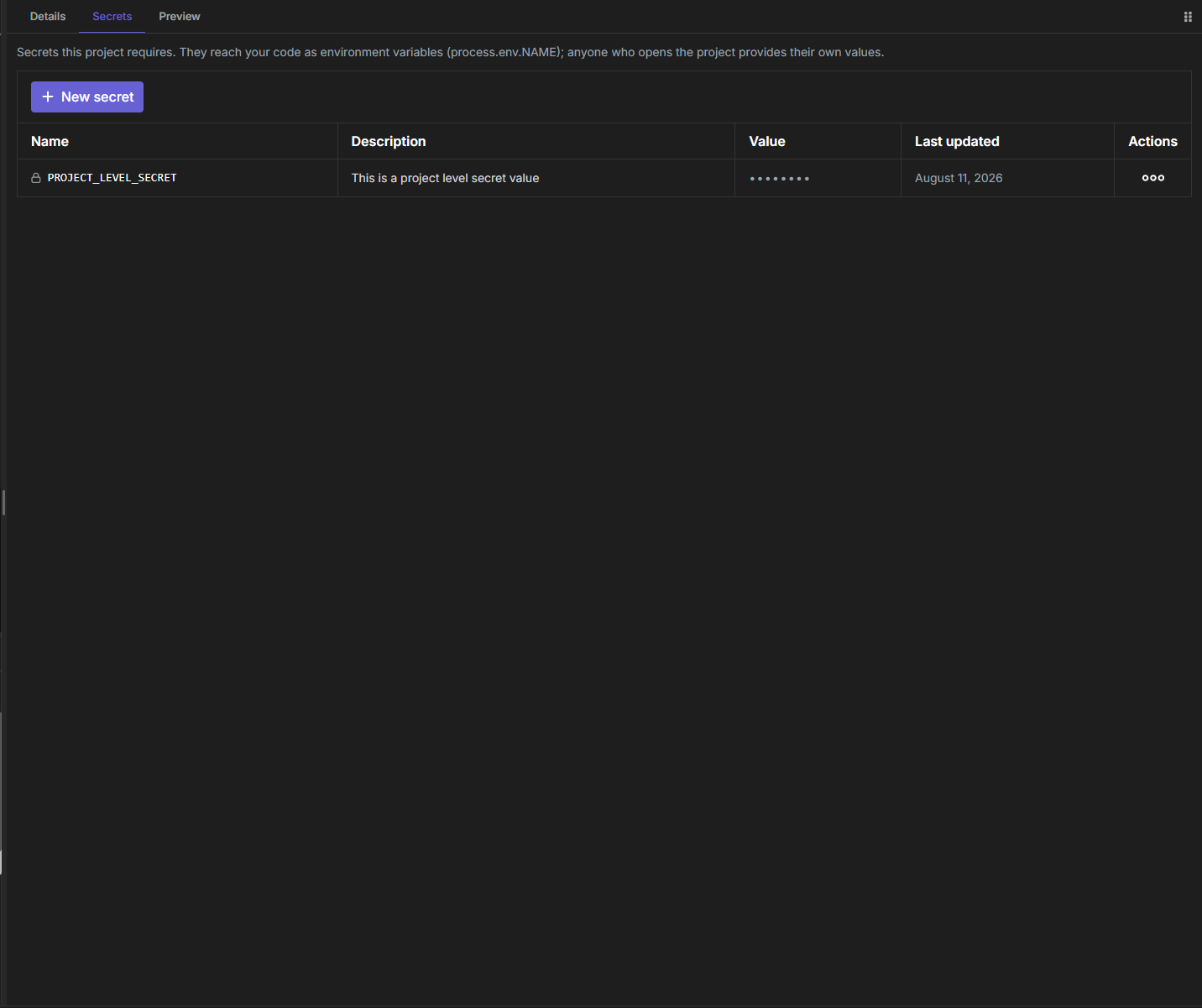
Every project editor — edit page and view page alike — has a Secrets tab next to Details.
As the project author (edit page): secrets you add here become the project's requirements. They override your same-named account secrets, and everyone who opens the project is asked to provide their own values for these names. Deleting one removes it from the project's requirements and deletes every user's stored value for it.
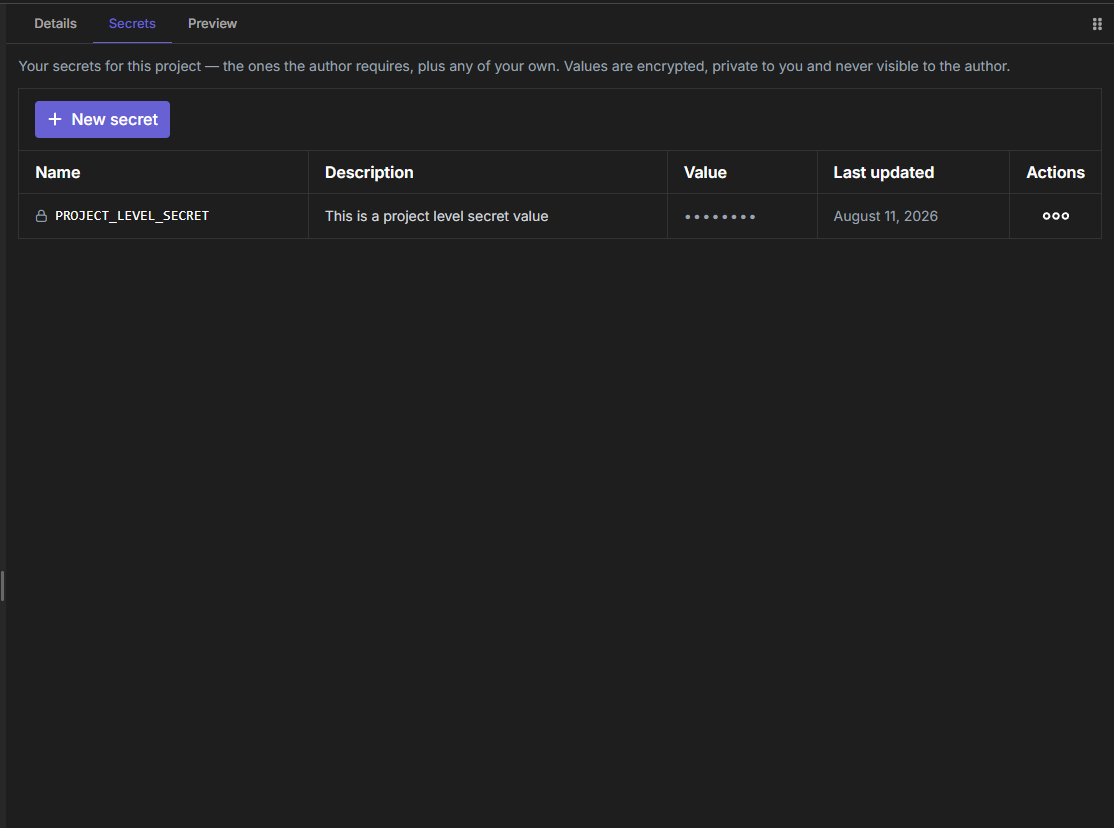
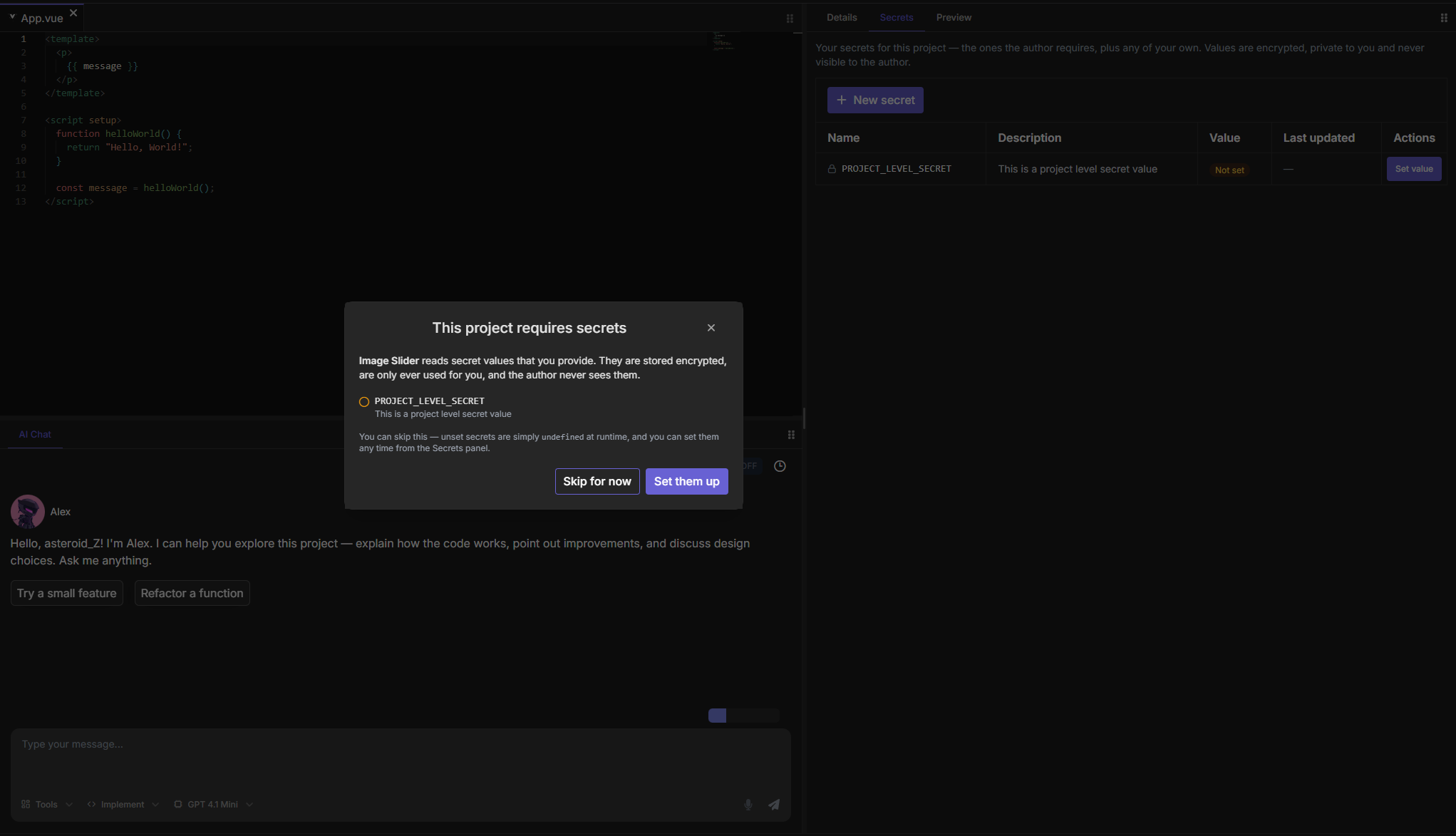
As a visitor (view page): the Secrets tab shows the names the author declared, whether you have set a value for each, and lets you add extra secrets of your own for this project — even if the author declared none. If a required name matches one of your account secrets, it is covered automatically.
If the project requires secrets you have not set, a prompt offers to open the Secrets tab. You can skip it — unset secrets are simply undefined at runtime:
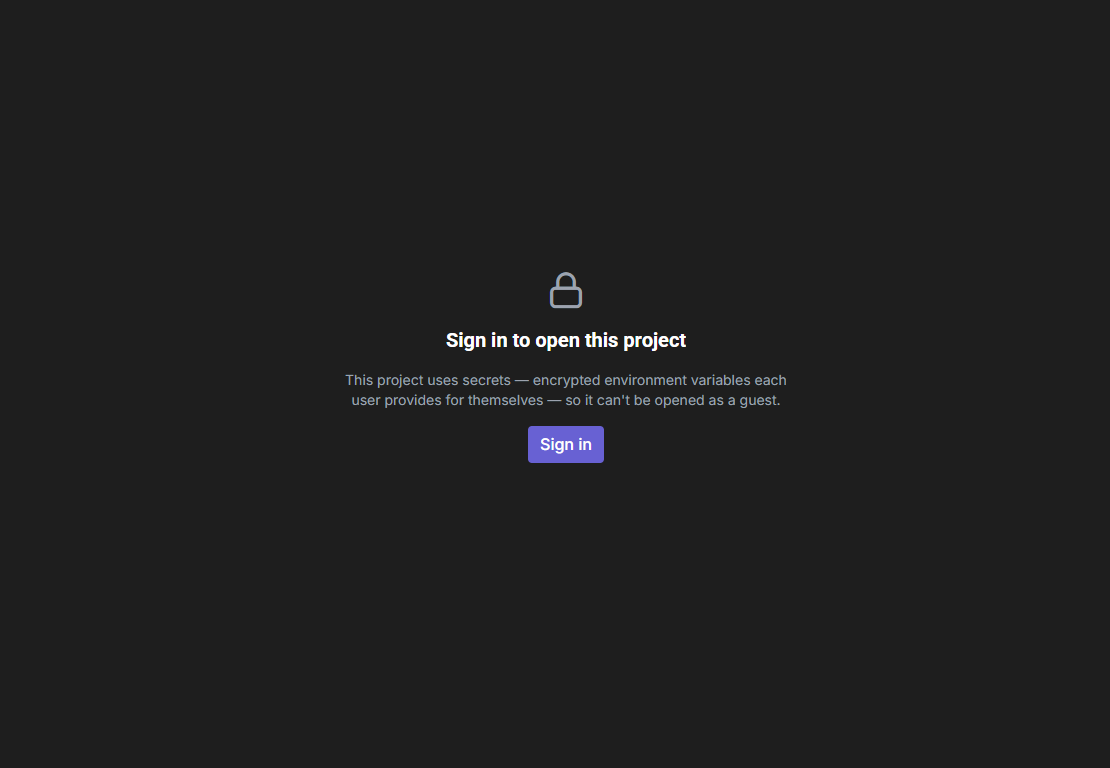
Guests can't open projects that use secrets — signing in is required:
Naming rules and limits
- Names start with a letter or
_and can contain letters, digits and underscores. Names are case-sensitive —OPENAI_API_KEY,apiKey,_internal_token. - Reserved prefixes you can't use:
DOJOCODE_,VITE_DOJOCODE_,NODE_,NPM_,PATH. - Up to 100 account secrets and 100 secrets per project; values up to 8 KB.
Reading secrets in your code
How you read a secret depends on the template's runtime. Quick reference:
| Templates | Read with |
|---|---|
| React, ReactTS, Vue, VueTS, Svelte, SolidJS, SolidTS, VanillaJS, VanillaTS, React Native, React Native TS | import.meta.env.VITE_NAME |
| SvelteKit, SvelteKit TS, Remix, Remix TS | import.meta.env.VITE_NAME (client) · process.env.NAME (server code) |
| Next.js, Next.js TS | process.env.NAME (Server Components, API routes) |
| Astro, AstroTS | import.meta.env.NAME |
| Angular | import { DOJOCODE_ENV } from './dojocode-env'; then DOJOCODE_ENV['NAME'] |
| NodeJS, NodeTS, Fastify, Hono, NestJS | process.env.NAME |
| Python | os.environ["NAME"] |
| Java | System.getenv("NAME") |
| C# | System.Environment.GetEnvironmentVariable("NAME") |
| C | getenv("NAME") |
| C++ | std::getenv("NAME") |
| Go | os.Getenv("NAME") |
| Rust | std::env::var("NAME") |
| Ruby | ENV["NAME"] |
| PHP | getenv('NAME') |
| Solidity | vm.envString("NAME") |
| PGlite, SQLite | Not available — SQL playgrounds have no runtime that reads environment variables. |
All the examples below assume a secret named API_KEY.
Browser templates (Vite)
Browser code can only see variables prefixed with VITE_, so DojoCode exposes every secret under a VITE_ alias too. In the preview this is safe: it only ever runs your own values on your own temporary origin. A published browser project is a different story — see Secrets and publishing.
export default function App() {
  return <h1>Key: {import.meta.env.VITE_API_KEY}</h1>;
}<script setup>
const apiKey = import.meta.env.VITE_API_KEY;
</script>
<template>
<h1>Key: {{ apiKey }}</h1>
</template><h1>Key: {import.meta.env.VITE_API_KEY}</h1>export default function App() {
return <h1>Key: {import.meta.env.VITE_API_KEY}</h1>;
}document.querySelector('#app').textContent = import.meta.env.VITE_API_KEY;import { View, Text } from 'react-native';
export default function App() {
return (
<View>
<Text>Key: {import.meta.env.VITE_API_KEY}</Text>
</View>
);
}Full-stack templates
// src/app/page.tsx — Server Components and API routes read process.env
export default function Home() {
  return <h1>Key: {process.env.API_KEY}</h1>;
}---
const apiKey = import.meta.env.API_KEY;
---
<h1>Key: {apiKey}</h1><!-- src/routes/+page.svelte -->
<h1>Key: {import.meta.env.VITE_API_KEY}</h1>
<!-- In +page.server.js / hooks, use process.env.API_KEY -->// app/routes/_index.tsx
export default function Index() {
return <h1>Key: {import.meta.env.VITE_API_KEY}</h1>;
}
// In loaders/actions (server), use process.env.API_KEYAngular
Angular's build has no environment-variable mechanism, so DojoCode mounts a virtual module called dojocode-env.ts at the project root whenever you have secrets. It shows up read-only in the file tree so you can see which names exist — the values inside are only filled in inside the running preview, never in the editor.
// app.component.ts
import { Component } from '@angular/core';
import { DOJOCODE_ENV } from './dojocode-env';

@Component({
  selector: 'app-root',
  templateUrl: './app.component.html'
})
export class AppComponent {
  apiKey = DOJOCODE_ENV['API_KEY'];
}WARNING
Never create or edit dojocode-env.ts yourself — the platform manages it, and it is never saved into your project.
Backend JavaScript templates
Works the same in NodeJS, NodeTS, Fastify, Hono and NestJS:
console.log(process.env.API_KEY);Python
import os

print(os.environ["API_KEY"])          # raises KeyError if unset
print(os.environ.get("API_KEY")) # None if unsetCompiled & other languages
These templates run in the Output panel (Run button); the secrets are injected into the run environment.
public class HelloWorld {
    public static String hello() {
        return System.getenv("API_KEY");
    }
}namespace Challenge
{
public class HelloWorld
{
public static string Hello()
{
return System.Environment.GetEnvironmentVariable("API_KEY");
}
}
}#include <stdlib.h>
#include <stdio.h>
void print() {
printf("%s\n", getenv("API_KEY"));
}#include <cstdlib>
#include <iostream>
int main() {
std::cout << std::getenv("API_KEY") << std::endl;
}package main
import (
"fmt"
"os"
)
func main() {
fmt.Println(os.Getenv("API_KEY"))
}fn main() {
println!("{}", std::env::var("API_KEY").unwrap_or_default());
}puts ENV["API_KEY"]<?php
echo getenv('API_KEY');// In a Foundry script (Main.s.sol)
import "forge-std/Script.sol";
import "forge-std/console.sol";
contract Main is Script {
function run() external {
console.log(vm.envString("API_KEY"));
}
}SQL playgrounds
The PGlite and SQLite templates execute .sql files only — there is no user code that could read an environment variable, so secrets are not available there and the Secrets tab is hidden.
Secrets and publishing
A published project (*.dojocode.net) has no signed-in visitor, so it runs on your values: every project secret you declared, plus those of your account secrets your code refers to by name. What that means for you depends on where the project runs.
Server apps — the values stay on the server
Next.js, SvelteKit, Remix, NestJS, Fastify, Hono, NodeJS and Python projects with the API tester on publish as a live server. Your secrets are handed to that server as environment variables — exactly what process.env.NAME or os.environ["NAME"] read — and are never part of what a visitor's browser downloads. Nobody can read them off the page.
Two things to keep in mind:
- Anyone with the link uses your keys. Every request a visitor triggers runs with your API key, and the provider bills you. Be careful who you share the link with, and prefer keys with a spending limit.
- Read them in server code. In SvelteKit and Remix the
VITE_alias (import.meta.env.VITE_NAME) exists only in the editor's preview. A published app is built without it, so its browser code never receives a secret — readprocess.env.NAMEin loaders, actions and server routes, and send the browser only the result.
Changing or deleting a secret reaches the live app too: the next request starts it again with the new values, no republishing needed. A server app takes up to 32 KB of secret values in total.
Static sites — the values become public
React, Vue, Svelte, SolidJS, VanillaJS, Angular, Astro and Python projects that run in the browser publish as a static site: there is no server, the whole project runs in the visitor's browser. For the code to use a secret there, its value has to be built into the published page — where anyone who opens the link can read it, and use it somewhere else.
Publish these at your own risk
The Publish dialog lists the secrets that would be exposed. Publish a static site with secrets only if every one of them is safe to be public — a restricted, low-limit or free key. For anything that costs money or grants access, move the call to a server template instead.
On a static site the values are fixed at publish time: after changing a secret, republish for the change to apply.
Secrets and Alex (the AI assistant)
Alex sees the names and descriptions of the secrets available to the project — never the values. That way it can write code that reads process.env.API_KEY for you, guard for missing values, and point you to the Secrets panel when a feature needs a key you haven't added yet. It will refuse to hard-code secret values or write .env files, since those would be saved into the project for everyone to see.
Good to know
- Skipping is allowed. A visitor who skips the secrets prompt can still run the project — unset secrets are just
undefined/empty at runtime, so guard for missing values. - Forks copy no secrets. Fork a project and it starts with a clean slate; declare what it needs again.
- Updating keeps the old value if you leave it blank. Editing a secret's description without typing a new value leaves the stored value untouched.
- Preview restarts automatically when your secrets change, so the new values are picked up without a manual reload.