
Skills
Skills on DojoCode represent different areas of software development that you can master over time. As you solve challenges, you earn skill points that reflect your growing proficiency in each area.
Each skill is mapped to specific challenge tags, so every challenge you complete contributes to one or more skills automatically.
How skills work
- Earn points - Completing challenges awards points to the skills associated with that challenge.
- Level up - As you accumulate points in a skill, you progress through 10 levels, from Novice all the way to Grandmaster.
- Track your progress - Your skill progress is displayed as a radar chart on your profile, giving you a visual overview of your strengths and areas for improvement.
- Unlock achievements - Many skills have related badges that you can earn as you advance.
Skill levels
Each skill has 10 levels based on the number of points you've accumulated:
| Level | Rank | Points Required |
|---|---|---|
| 1 | Novice | 0 – 99 |
| 2 | Beginner | 100 – 299 |
| 3 | Apprentice | 300 – 599 |
| 4 | Competent | 600 – 999 |
| 5 | Proficient | 1,000 – 1,499 |
| 6 | Advanced | 1,500 – 2,099 |
| 7 | Skilled | 2,100 – 2,799 |
| 8 | Expert | 2,800 – 3,599 |
| 9 | Master | 3,600 – 4,499 |
| 10 | Grandmaster | 4,500+ |
Browsing skills
Visit the Skills page to explore all available skills. Each skill card shows:
- A description of the skill area
- Tags associated with the skill
- The number of challenges that contribute to it
- Related achievements you can earn
You can also search by skill name or description, or tags to quickly find what you're looking for.
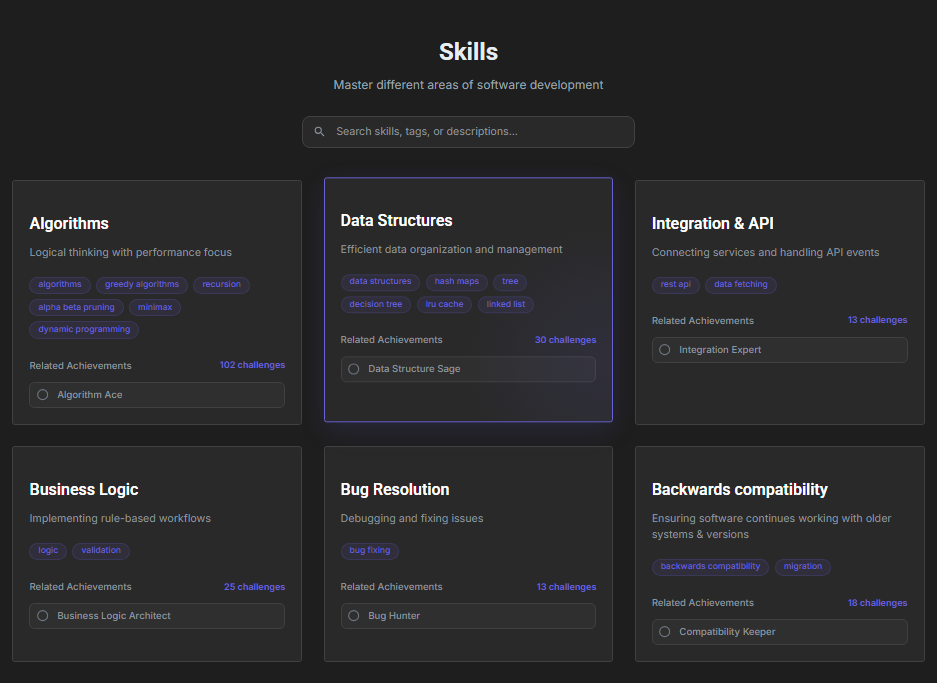
Fig. 1 — Skills page overview
Skills on your profile
Your skill progress is visible on your profile page under the Stats tab. A radar chart displays all the skills where you've earned points, giving you and others a quick snapshot of your expertise across different domains.
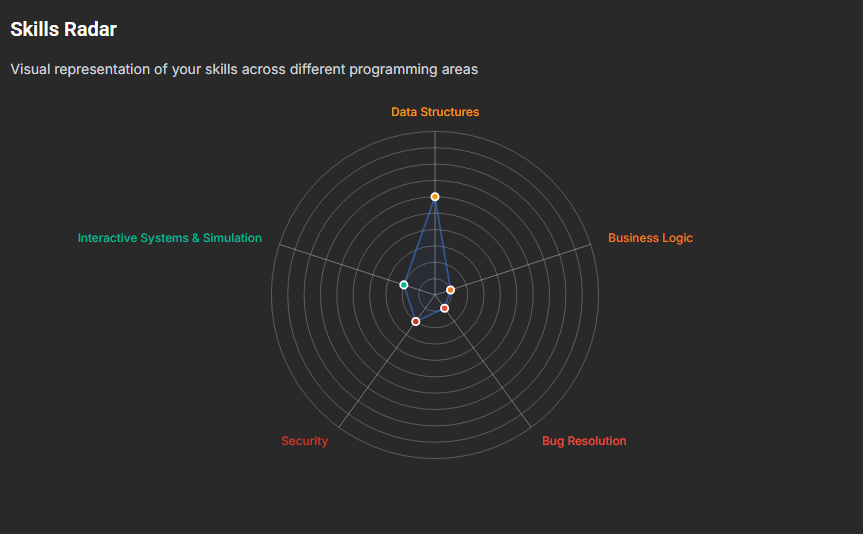
Fig. 2 — Skills radar chart on user profile