
Hackathon Curation
Crafting Your Hackathon
Running a hackathon on DojoCode takes a brief, a jury and a prize pool — everything else is handled for you: registration, the sealed brief, project snapshots, anonymous judging, the ranking and the payout. This section walks you through it step by step.
- Go to Your Hackathons Page
Start from My Hackathons (Fig.1) in the Business dashboard and click New (Fig.2).
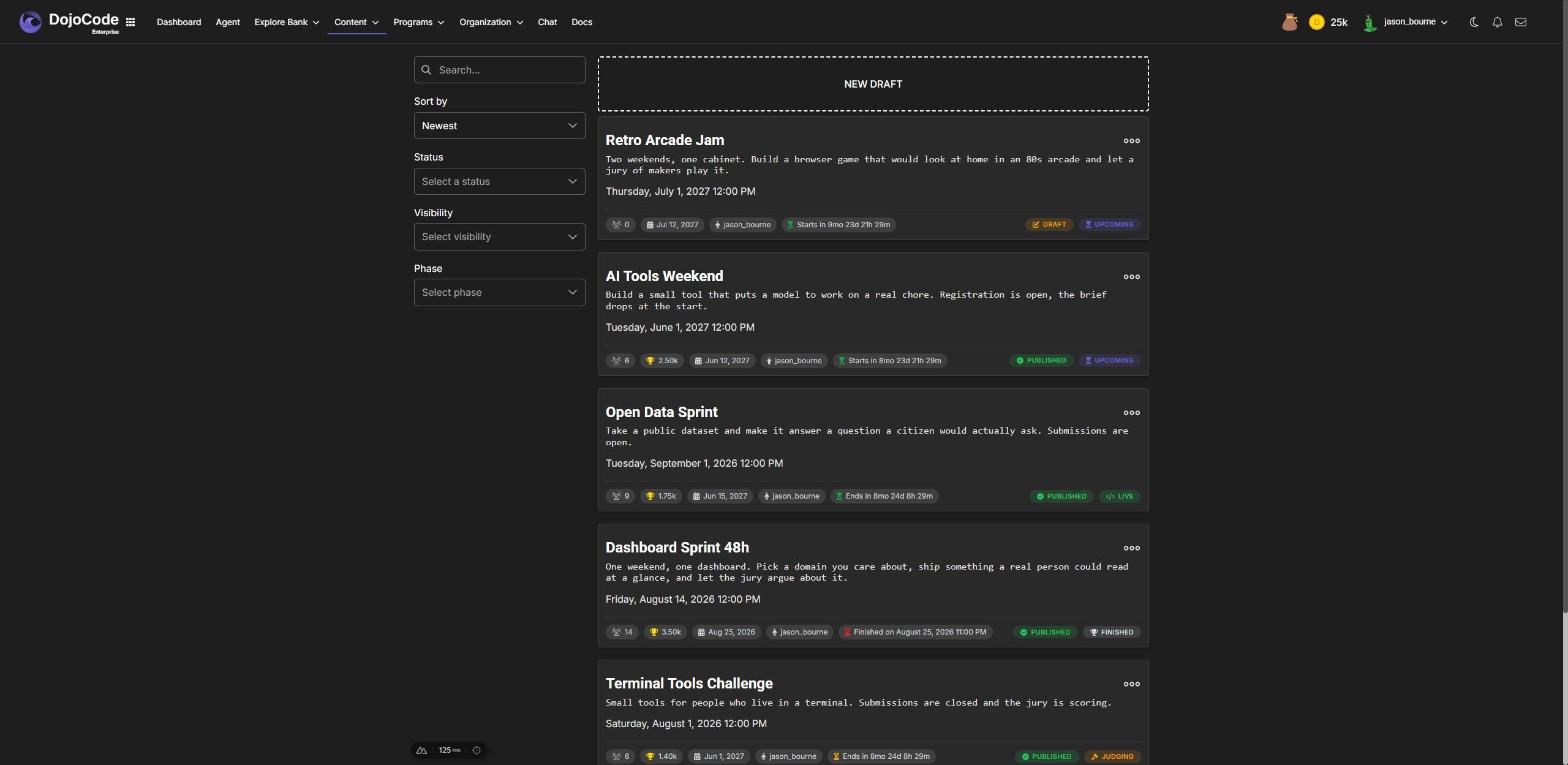
Fig. 1
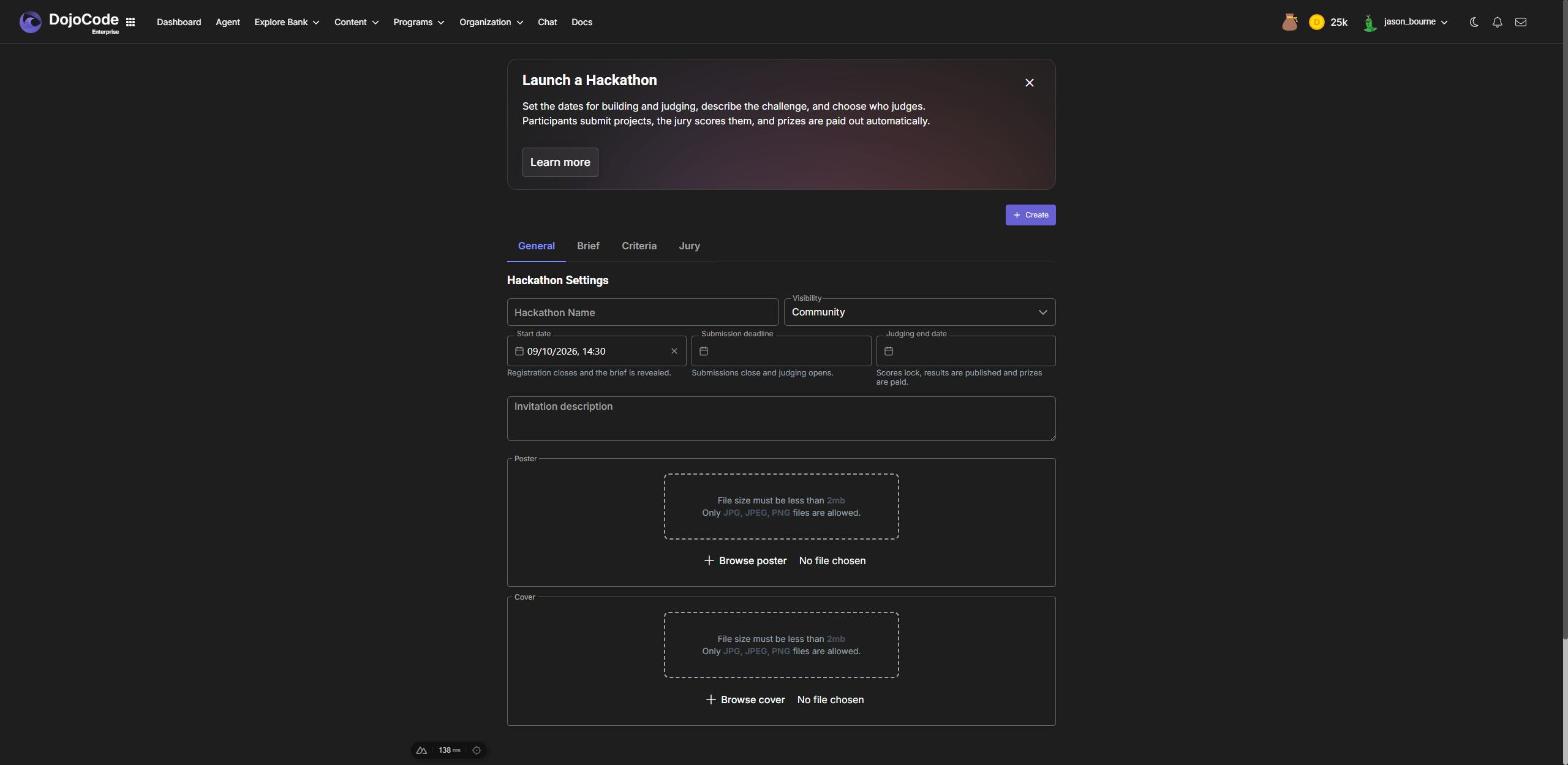
Fig. 2
- Settings
The Settings tab holds the identity of the hackathon (Fig.3):
- Name and slug — the slug becomes the public address and cannot change after creation.
- Visibility — Community (listed on Explore hackathons) or Private (link only). Community visibility needs a paid plan.
- Invitation — the public teaser everyone sees before the start. Make it sell the event; the task itself goes in the brief.
- Three dates, in order: the start (registration closes, brief revealed), the submission deadline, and the judging end (results and prizes published).
- Poster and cover — upload your own or generate them with AI from a prompt; the poster gets the title and the start date overlaid.
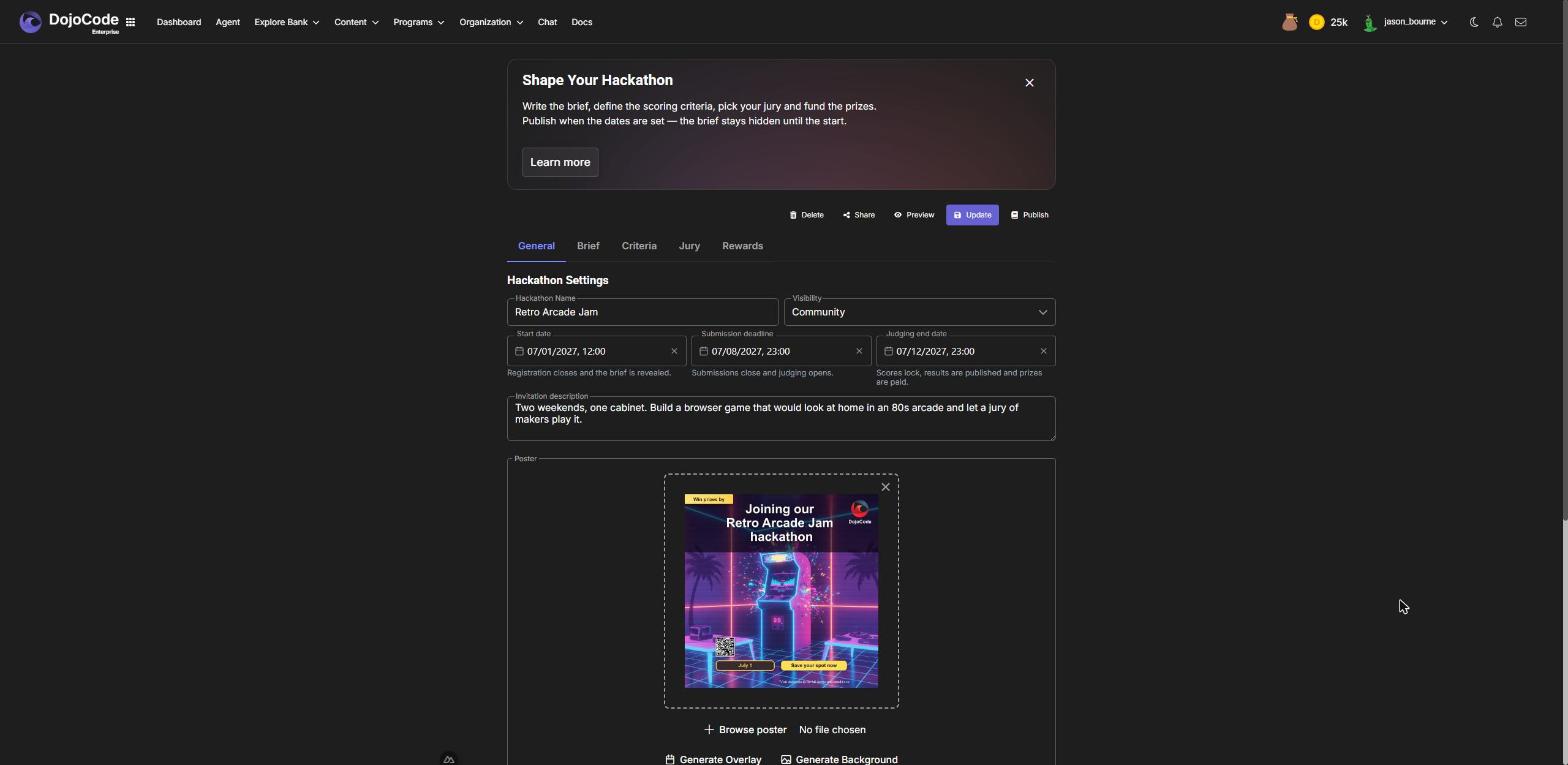
Fig. 3
- Brief
The Brief is the task (Fig.4): what to build, the rules, what the jury looks for. It is sealed until the start date — participants see only the invitation before that — so write it as the document a participant opens on day one. Markdown is supported.
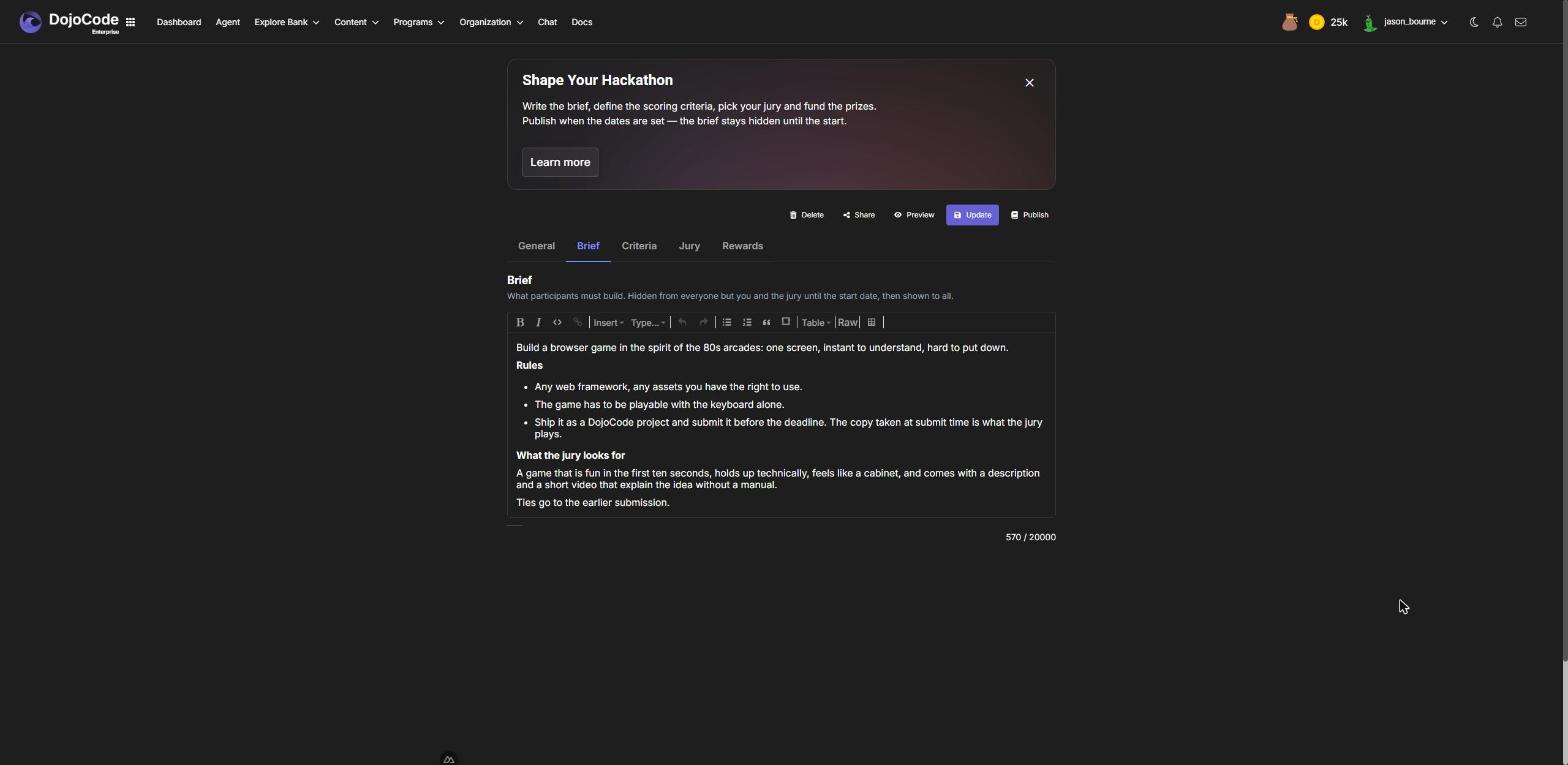
Fig. 4
- Scoring Criteria
Judges score every submission per criterion (Fig.5). The defaults are Innovation, Execution, Design and Presentation, 10 points each; rename them, change the maximum, add or remove rows. Participants see the criteria from the start — they are the rubric.
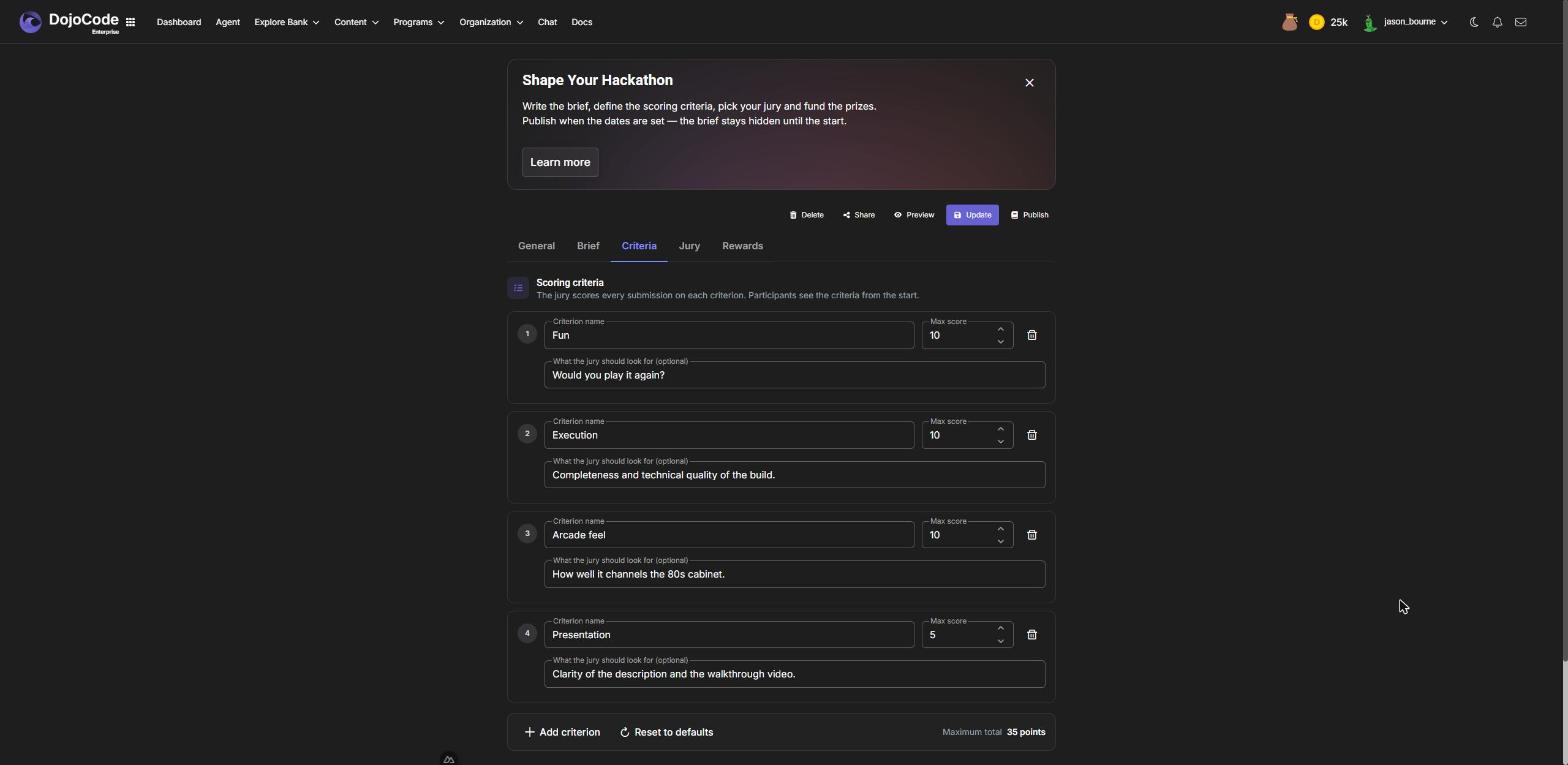
Fig. 5
- Jury
Search platform users by username and add them to the Jury (Fig.6). You need at least one judge to publish. Judges get a notification and an email when the hackathon is published, another when judging opens, and they score from their own judge dashboard. A judge cannot participate, and you — the organizer — cannot judge.
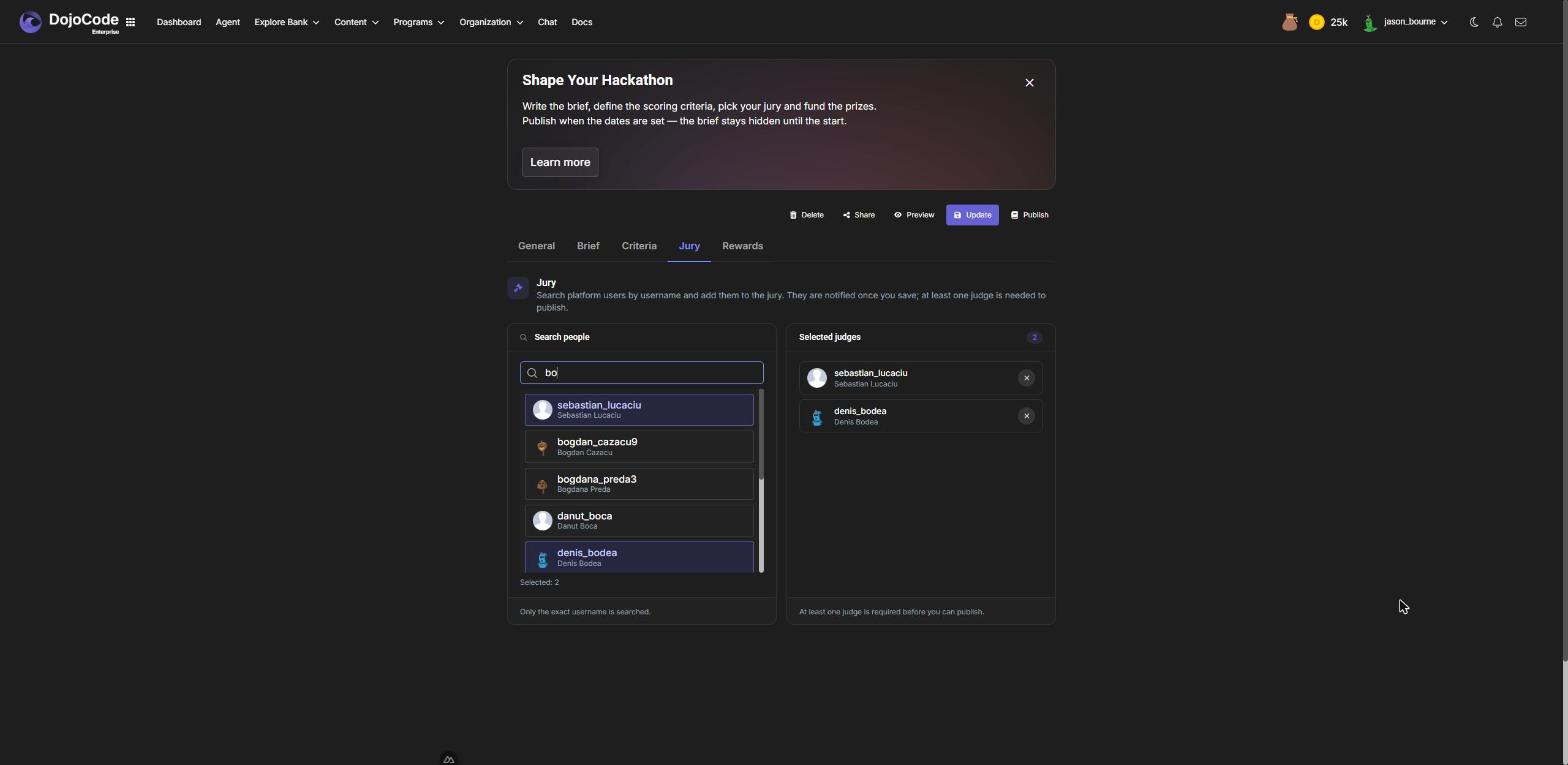
Fig. 6
- Rewards
Save the draft, then open Rewards (Fig.7) to fund the prize pool in DojoCode Tokens, one amount per rank. The tokens leave your balance when you fund; if you change your mind while the hackathon is still a draft, Refund returns them. When the results are published, each winner is credited and anything left unawarded (a rank with no scored submission) comes back to you.
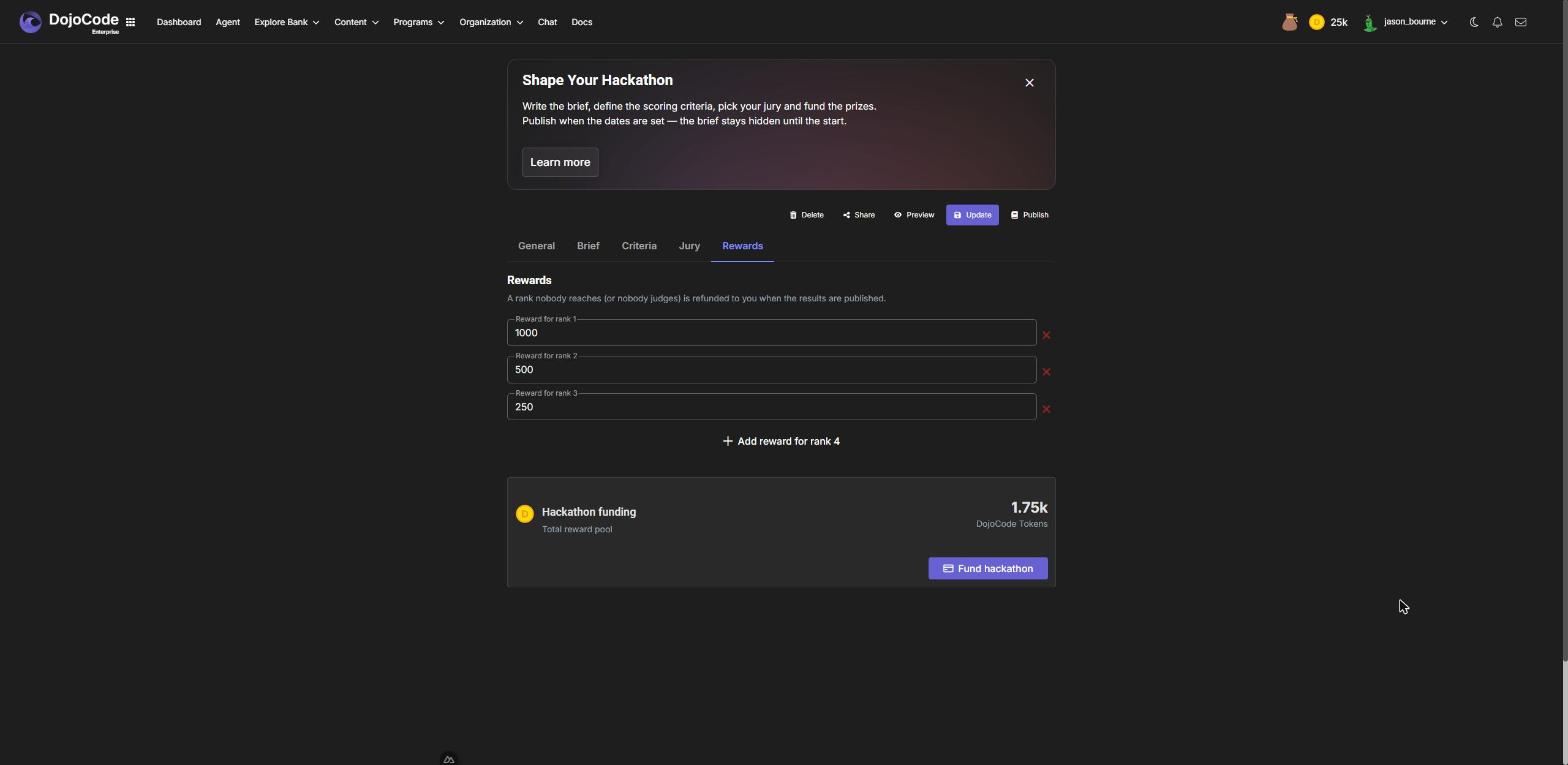
Fig. 7
- Publish
Publish saves your latest changes and runs the checks: a brief, at least one judge, valid criteria, dates in the right order and in the future. Once published:
- the hackathon appears on Explore hackathons (community) or becomes reachable by link (private);
- registration opens and the jury is notified;
- the brief, criteria and jury are locked — only drafts are editable. Unpublishing is possible until someone registers or the start date passes.
WARNING
Publishing is the point of no return for the content. Reread the brief before you click.
While It Runs
- Registrations show on the hackathon page and in the participants count on your card. You are notified for each one.
- At the start, participants get the brief by notification and email. Registration closes.
- Submissions arrive on the Submissions page (the ⋯ menu of your card). Each one is a snapshot of the participant's project files taken at submit time, so later edits to their project do not reach the jury. If the participant published the project, the card links to the live site; a deploy older than the submitted code is flagged.
- At the deadline, submissions close, the jury is told judging is open, and participants who never submitted get a reminder that they missed it.
Judging
Each judge opens their judge dashboard (Fig.8): the queue of submissions, the project snapshot with its Code, Preview, API tester and Secrets tabs, and a score form with one slider per criterion plus a comment for the participant.
Two rules protect the process:
- Anonymity — until the results, judges see submissions without the participant's name, project or published site. They score the work, not the person.
- Privacy — scores stay private until judging ends. A judge sees only their own scores.
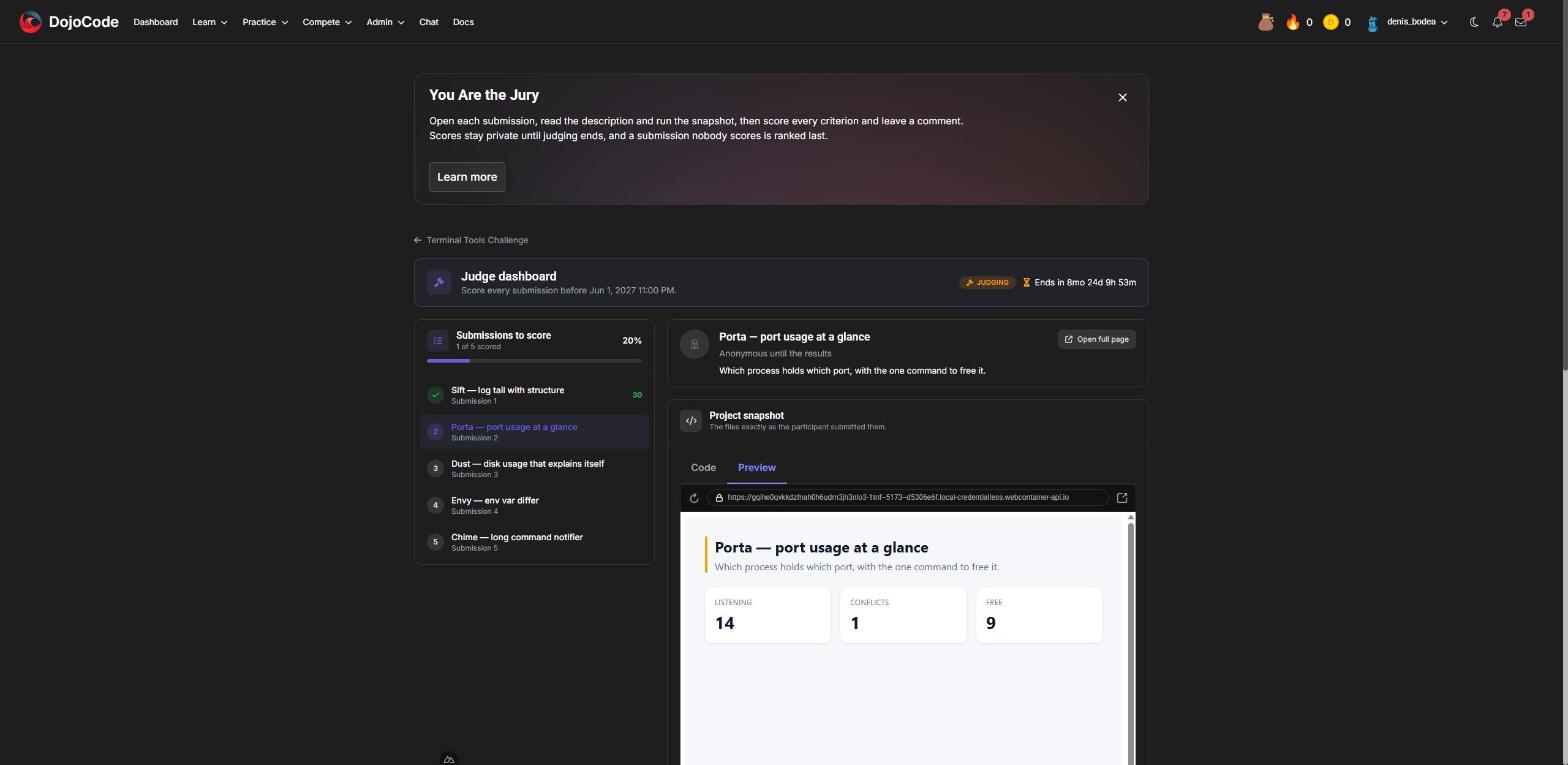
Fig. 8
A submission's final score is the average of the judges who scored it; a submission nobody scored ranks last. Ties go to the earlier submission.
Results
At the judging end date DojoCode finalizes the hackathon automatically: it computes the ranking, credits the prizes, refunds what was not awarded and notifies participants, jury and you. If the results have not appeared shortly after the judging end date, use Finalize on the edit page; it is safe to click more than once. It cannot run before that date, even when every judge is done.
The results page shows the podium, the ranked gallery and, on each submission, every judge's scores and comment (Fig.9). From then on every submission is public: anyone can open it, run it, like it and comment.
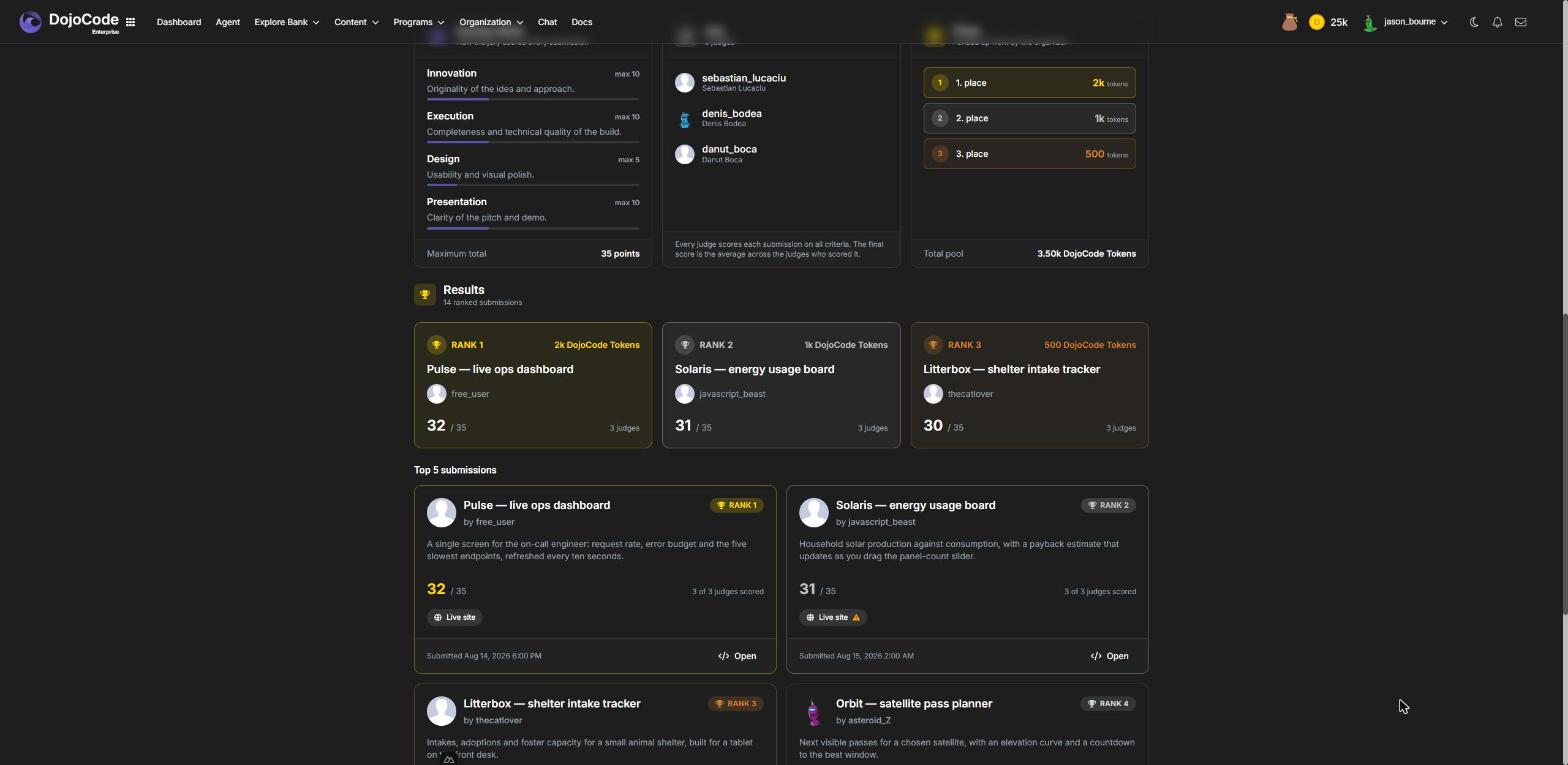
Fig. 9
Reports
Open Organization → Reports, click New report and pick Hackathon. The report (Fig.10) captures the ranking (average score, judges scored, submission time, likes), the average-score distribution, judge coverage and submissions per day, and exports to CSV and PDF. Generated before the results, the ranking is marked provisional; regenerate after the finish for the final one. See Reports.
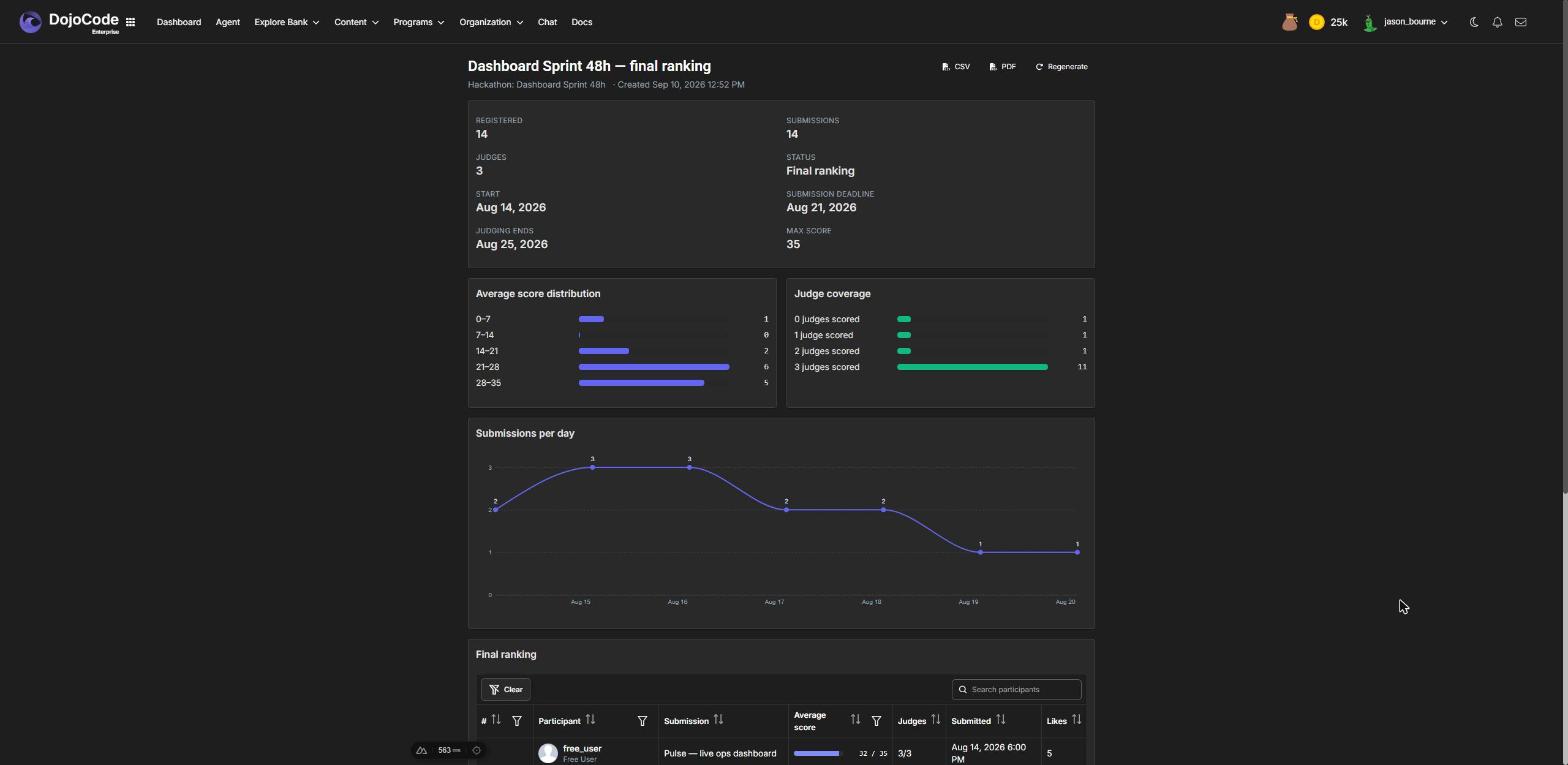
Fig. 10
Planning one with the Agent
Open the Agent and pick Plan a Hackathon, or just say what you want to run. The assistant settles the plan with you in chat — name and theme, the three dates, visibility and criteria — then opens the jury picker in the panel so you choose the judges by username (Fig.11), and creates the draft with poster and cover images (Fig.12). From the panel you jump to the editor to review the brief, fund the prizes and publish. See Agent for Business.
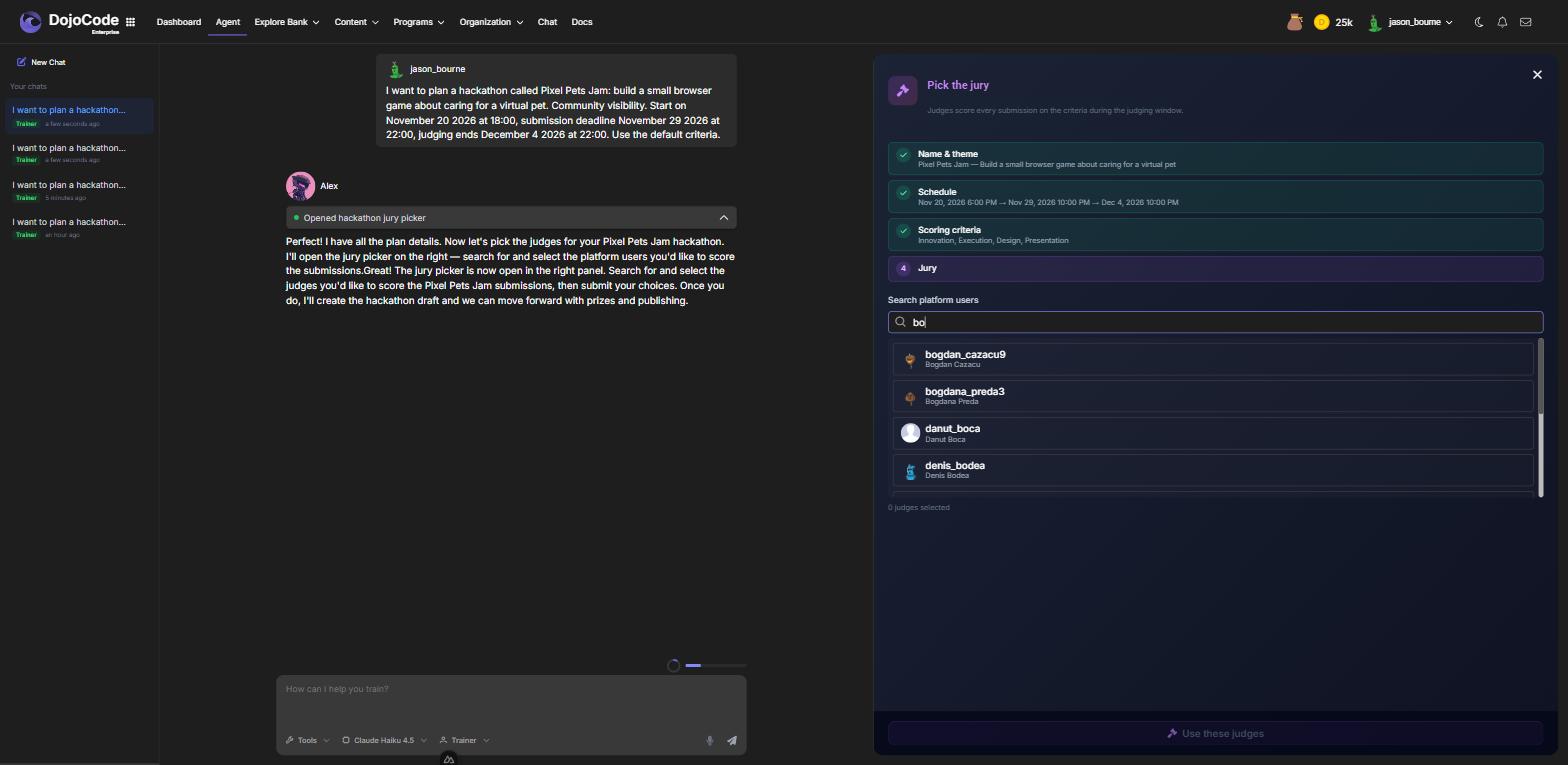
Fig. 11
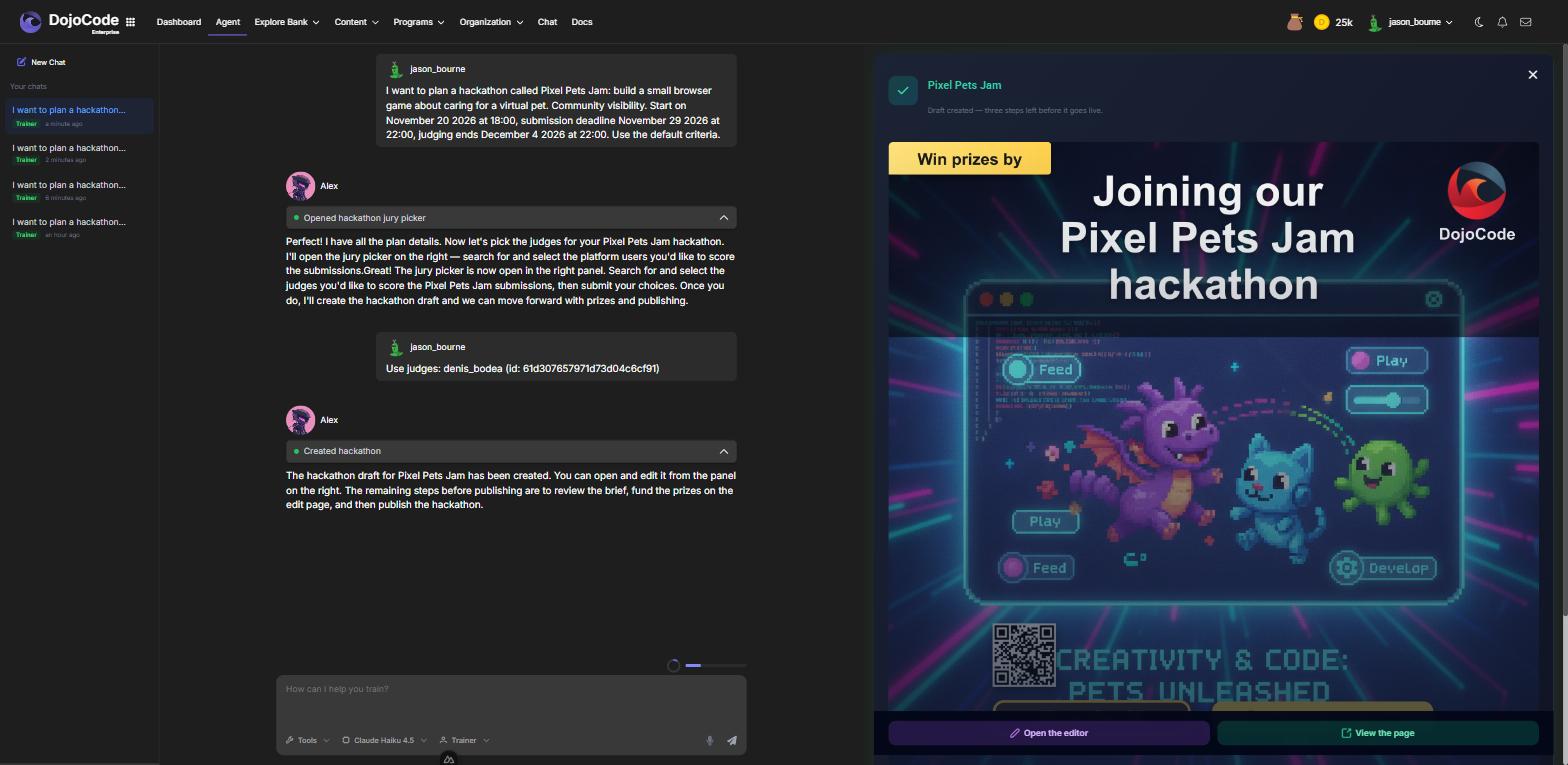
Fig. 12
Deleting a Hackathon
Only a draft can be deleted, and only once its prize pool is refunded. A published hackathon stays: participants registered on the promise of it.