
Roles & Permissions
Every member of an organization has one role. The role decides what that person can see and manage inside the organization. There are three roles: owner, admin, and member.
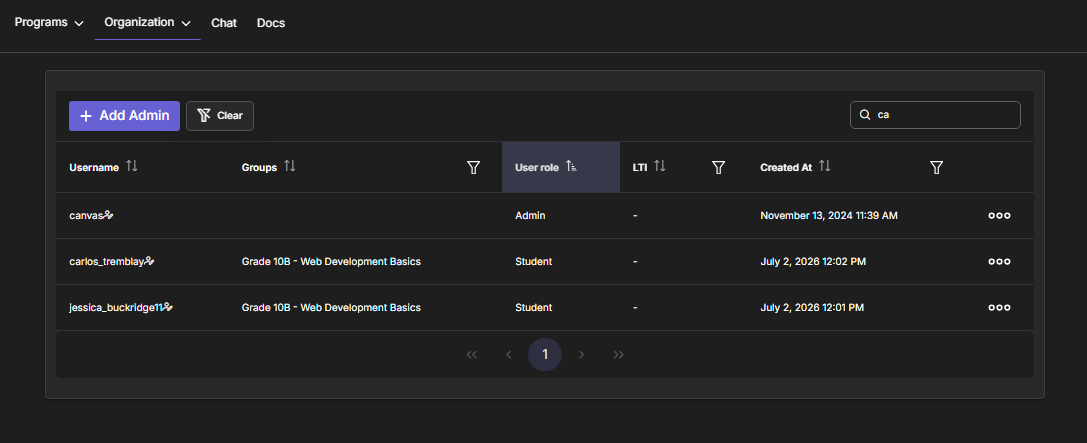
Owner
The owner is the Business account that created the organization. There is exactly one owner, and the owner holds the subscription that funds the organization's plan.
The owner can do everything an admin can do, plus the actions reserved for ownership:
- Manage billing and the organization's plan.
- Invite admins — only the owner can invite an admin (through the Invite admin action on the Users page).
- Full control over all members, groups, content, contests, and assignments.
Admin
Admins are your co-managers — typically instructors or teaching assistants who help run the organization day to day. An admin shares the same working view as the owner and can manage the organization's resources, but cannot perform owner-only actions.
Admins can:
- View and manage all of the organization's groups, students, content, contests, and assignments — including items created by other managers.
- Create groups and invite students to them (which is how students become members).
- Author and curate content, launch contests, and hand out assignments.
- Delete users on the organization's roster.
Admins cannot:
- Create or grant the admin role — only the owner can add admins (see below).
- Access billing or change the organization's plan.
- Be the sole account responsible for the subscription (that is always the owner).
Admins don't need their own subscription
An admin's ability to manage the organization is covered by the owner's plan. Instructors can manage groups and students without buying a separate subscription of their own.
Member
Members are the learners — students who belong to the organization. Members are the people your assignments and contests are for. A member:
- Belongs to the organization and can be added to groups.
- Receives and solves assignments, and takes part in contests.
- Does not manage the organization (no access to member management, group creation, or content authoring).
Capability Matrix
| Capability | Owner | Admin | Member |
|---|---|---|---|
| See all org groups, students & content | ✅ | ✅ | — |
| Create / edit groups | ✅ | ✅ | — |
| Invite students to groups | ✅ | ✅ | — |
| Author & curate content | ✅ | ✅ | — |
| Create contests & assignments | ✅ | ✅ | — |
| Delete users on the roster | ✅ | ✅ | — |
| Create an admin account | ✅ | ❌ | — |
| Manage billing & plan | ✅ | ❌ | — |
| Join groups, solve assignments, enter contests | ✅ | ✅ | ✅ |
Inviting admins is owner-only
Admins help run the organization, but only the owner can invite an admin. This keeps control of who can manage the organization with the account that owns it. There is no separate "promote a student to admin" step — new admins are invited by email by the owner and join when they accept. See Managing Members → Invite an Admin.
Managers vs. Members
Throughout the documentation, "managers" means the owner and all admins together — the people who run the organization. "Members" (lowercase, in the general sense) means everyone who belongs to the organization, while the member role specifically means a learner with no management rights.
Next: Managing Members to add people and set their roles.